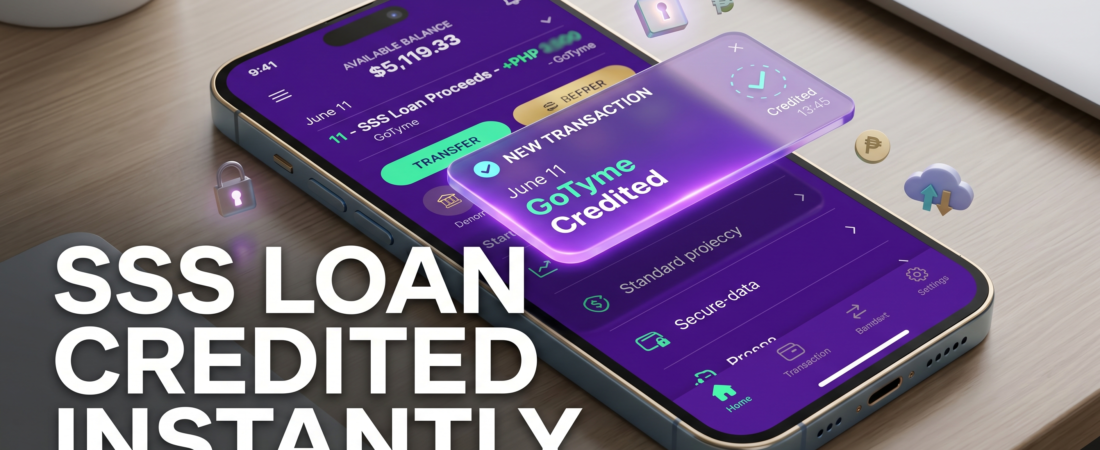
SSS GoTyme Disbursement Timeline 2026: Get Your Loan Credited InstantlySSS loans and benefits routed through GoTyme Bank are typically credited within 2 to 3 banking days following final SSS and employer certification. While traditional banks take up to 5 business days, GoTyme processes the electronic fund transfer via PESONet or InstaPay within hours of release, enabling fast same-day clearing once SSS dispatches the batch.
Why Is Your SSS Loan Delayed? Core Breakdown
Many members face immense frustration tracking down their funds after seeing an “Approved” status in their My.SSS Portal. There are two primary reasons behind processing bottlenecks:
- Employer Certification Delays: For currently employed members, your company’s HR must digitally certify your loan application in their SSS employer portal within 5 calendar days. If they miss this window, the loan is automatically cancelled.
- Batch Clearance Cuts: SSS processes bank disbursements in structured batches. If your approval occurs after the daily cutoff time, your digital transfer pushes into the next business day’s processing queue.
SSS GoTyme Real-World Disbursement Timeline
As proven by live member proof in image_ff5b62.png and standard 2026 processing benchmarks, GoTyme outpaces traditional banking options.
| Stage of Application | Processing Action Required | Real-World Timeframe |
| Day 1: Submission | Member submits loan request & chooses GoTyme DAEM. | Instant online routing. |
| Day 2: HR Approval | Employer reviews and certifies the application. | 24 to 48 hours. |
| Day 3: SSS Settlement | SSS generates the Statement of Account (SOA). | 1 banking day. |
| Day 4: Payout Release | Funds settle securely into your GoTyme wallet. | Same Day (Usually ~4:00 PM). |
Step-by-Step Resolution Workflow: Enrolling GoTyme to SSS
Follow this exact sequence to ensure your next SSS Salary Loan or Emergency Loan routes directly to your digital card without being rejected:
- Generate a Bank Certificate: Open your GoTyme mobile app, navigate to your account settings, download your official digital bank certificate, and print it out clearly.
- Take Your Verification Photo: Position your valid government photo ID and your printed bank certificate together. Have a friend capture a clean, glare-free photo of you holding both items.
- Upload to DAEM Portal: Log into your My.SSS account, navigate to the Disbursement Account Enrollment Module (DAEM), choose GoTyme Bank, input your account number, and upload the verification imagery.
- Submit the Loan Request: Once SSS validates your account (usually within 24 hours), head to the online loan application window, select your verified GoTyme account, and hit submit.
Pro Tips & Warnings
⚠️ CRITICAL WARNING: Avoid submitting blurry selfies or low-resolution screenshots of your GoTyme app dashboard to the DAEM portal. Doing so will result in an immediate Disbursement Account Rejected error notice, setting your timeline back by at least a week. Ensure all texts and account details are fully legible.
FAQs: SSS to GoTyme Processing Questions
1. Does SSS disburse loans on weekends or holiday hours?
No. The Social Security System exclusively processes electronic banking disbursements through PESONet on standard Philippine business days (Monday through Friday, excluding national holidays).
2. What should I do if my SSS loan states “Credited” but my GoTyme wallet is empty?
If your portal shows a settled status but no funds have arrived, verify your account details in the DAEM portal. If correct, wait up to 24 hours for internal system synchronization before contacting GoTyme support.
3. Can I use a virtual GoTyme card for my SSS disbursement enrollment?
Yes. Your virtual GoTyme account number is identical to your physical debit card number and is fully accepted for direct SSS benefit and loan integrations.
4. How long does a rejected SSS disbursement account modification take to fix?
If your initial registration is turned down, corrections take 24 to 48 hours to process once you upload a clearer bank certificate and an unexpired government identity card.
👉 Need to fix a rejected account status instantly? Check out our premium SSS DAEM Portal Troubleshooting Tutorial to bypass verification blocks on your first attempt.
👉 Ready to track your pending balance? Log directly into the secure Official My.SSS Portal to view your ongoing application parameters right now